Blog / Grounds & operations
How to Run Cemetery Grounds Maintenance With Work Orders
Mowing, headstone inspections, repairs and planting all compete for the same few people. When the schedule lives on a whiteboard or in a group text, things get done twice, skipped, or never recorded. Here is a simple way to run it from work orders instead.
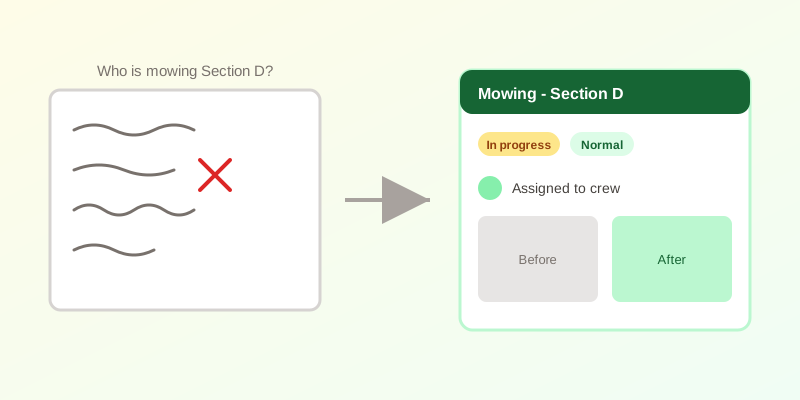
Where informal scheduling breaks down
A small cemetery with one groundskeeper can run on memory. The trouble starts with two or three crew members, seasonal help, or a volunteer group. Three failures show up again and again:
- Nobody knows what is already done. Two people mow the same section while another is missed for three weeks.
- Urgent items get buried. A leaning headstone or a fallen limb sits in the same list as routine trimming.
- There is no history. When a family complains about the state of a plot, nobody can show when it was last visited or what condition it was in.
What a work order actually is
A work order is one task with a clear owner and a visible outcome. It does not need to be elaborate. Each one answers five questions:
- What kind of job is it? Mowing, planting, headstone inspection, cleaning, repair, or something else.
- Where? A specific section or plot, not “the old part.”
- How urgent? Low, normal, high or urgent, so a safety hazard never waits behind routine work.
- Who has it? One named person or crew, notified when it is assigned.
- What state is it in? Pending, in progress, completed or cancelled.
That is enough structure to answer “what is outstanding?” at a glance without turning the groundskeeper into a data-entry clerk.
Four habits that make it work
- Create the order when the problem is found, not later. If a crew member spots a sunken grave, they log it on the spot from a phone instead of trusting themselves to remember at the end of the day.
- Attach the work to the plot. A job tied to a plot shows up in that plot's history, so the next person sees what was done and when.
- Take before and after photos. A pair of photos settles most disputes with families and gives a board hard evidence that work happened.
- Record condition during inspections. A simple rating (good, minor damage, major damage, missing) turns walking the grounds into a ranked repair list you can budget against.
Using it to plan the season
Once a few months of orders exist, patterns emerge on their own. Which sections generate the most repair requests? How long does a typical headstone repair stay open? How much of the crew's time goes to routine mowing versus reactive fixes? Those answers are what you need for a budget request, a seasonal hiring decision, or a conversation with a board that wants to know where the money went.
Planting and inspection work is also cyclical. A spring or fall routine you can look back on is easier to defend than one reconstructed from memory.
What to avoid
- Over-categorising. A handful of job types and four priorities are plenty. More options means crews stop filling them in.
- Office-only access. If only the office can open a work order, the information is stale by the time it is entered. The people on the grounds need to see and update their own jobs.
- Closing orders without evidence. A completed status with no photo or note is the whiteboard with a tick next to it.
CEMETERRA includes work orders with job types, priorities, assignment notifications and before-and-after photos, plus a mobile view built for the grounds crew. See the full feature list or pricing for what is included at each tier.
If your records are still on paper or in a spreadsheet, start with 5 signs your cemetery has outgrown spreadsheets, or create a free account and try it on your own map.